
Joan Comadran
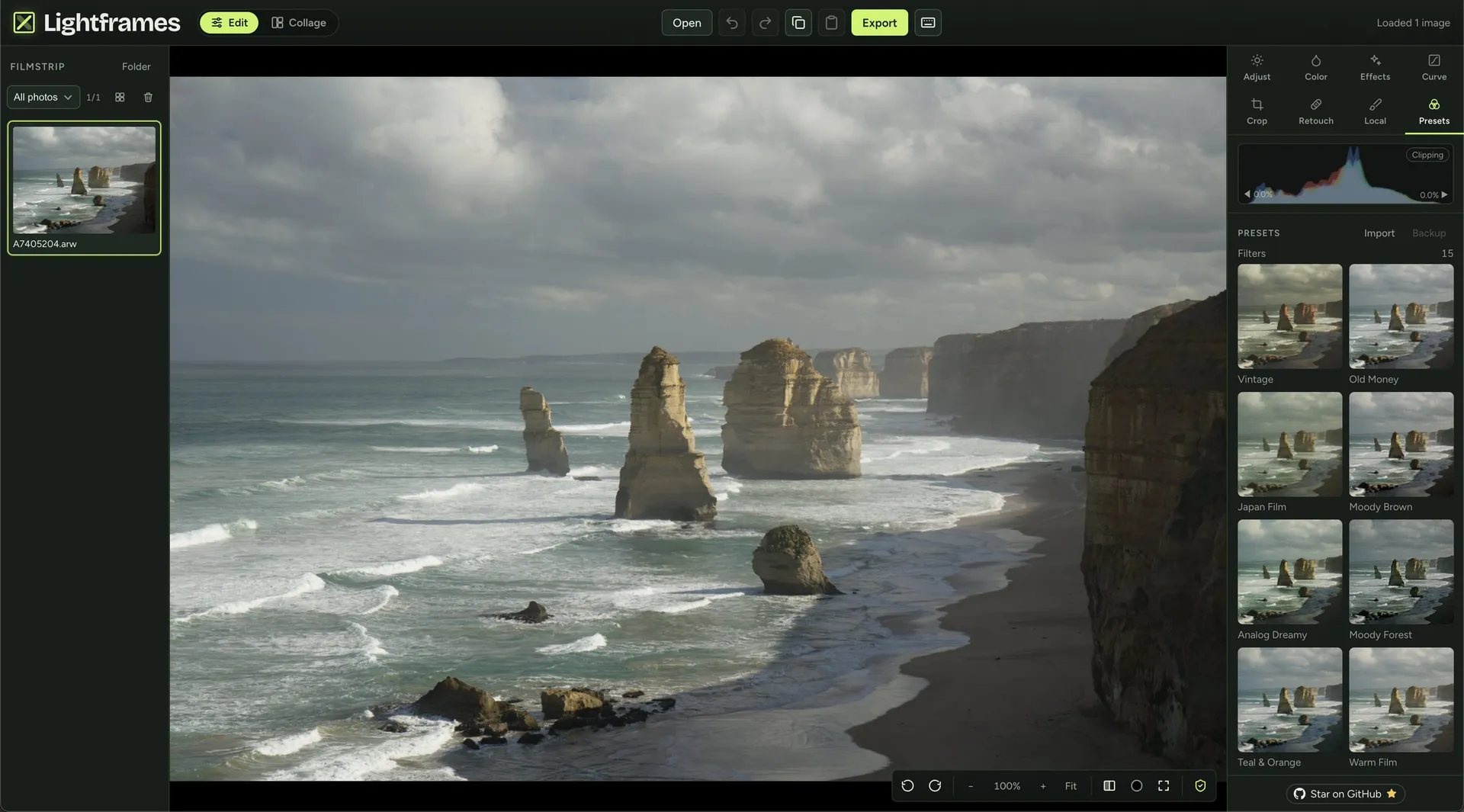
Lightframes editor in the browser with a RAW photo of a coastline open, the filmstrip on the left and the presets panel on the right

Lightframes: a free, open-source photo editor that runs in the browser

Free, MIT-licensed photo editor for RAW and JPEG that runs entirely in the browser: presets, copy/paste edits and on-device AI, with no uploads and no account.

Visit site →
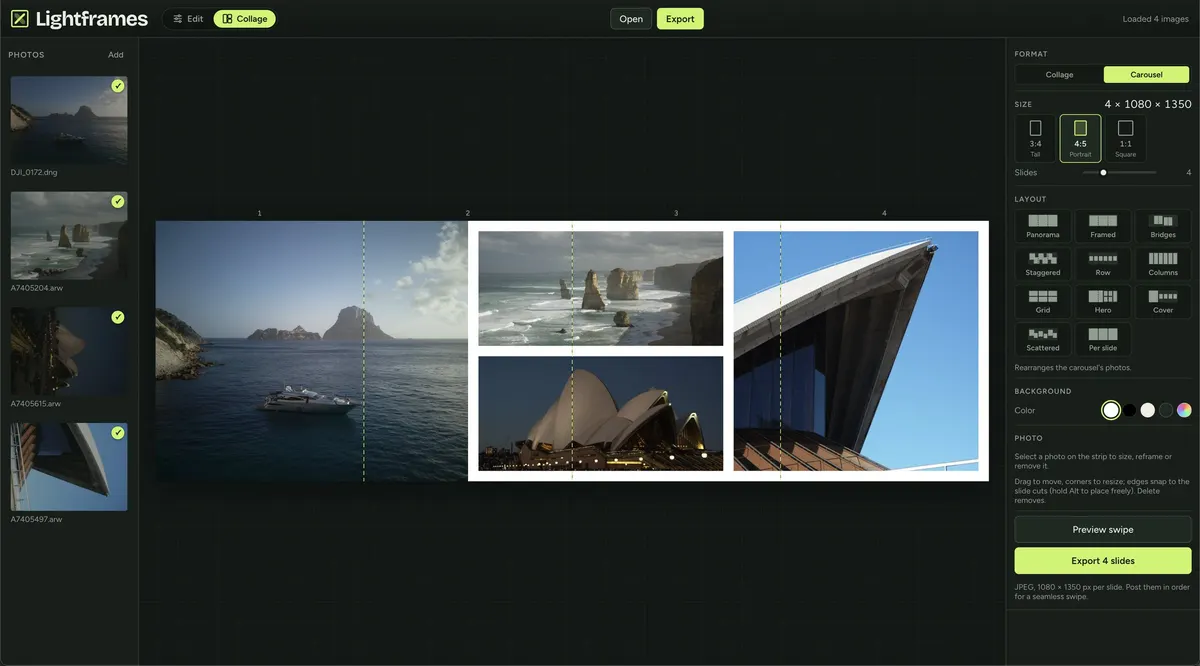
Lightframes carousel mode splitting a panorama and three photos across four 4:5 slides for a seamless swipe post
Stack

Astro + React

Year

2026

Role

Creator & Engineer

Field notes

I — III

Discovery

What we found before writing a line of code — three observations that defined what this project would, and wouldn’t, become.

01

What it is

Overview

Lightframes is a free, open-source (MIT) photo editor that runs entirely in the browser.

It opens JPEG, PNG and camera RAW files, edits them non-destructively with custom presets and copy/paste edits, and exports them, all on the user's own device. Photos are never uploaded: there is no server that receives them, no account and no cloud. The source code is public on GitHub under the MIT license.

02

Why it matters

Challenge

Editing a photo online usually means uploading it to someone else's server, creating an account, or both.

RAW files from a camera are large and need real decoding, and the AI tools people now expect (background removal, object removal, upscaling) are normally run in the cloud. The engineering problem is doing all of that inside a browser tab, fast enough to scrub sliders on a full-size image, and keeping it working offline.

03

What we built

Solution

A static Astro site with the editor as a React island.

RAW is decoded with LibRaw compiled to WebAssembly, the pixel pipeline runs on the CPU across a pool of Web Workers with dual-resolution scrubbing, and the AI models run on-device with ONNX Runtime Web. Sessions restore from IndexedDB after a refresh, and a Workbox service worker makes it an installable PWA that keeps working without a connection.

The editor

RAW, presets and copy/paste edits, without uploading anything

Lightframes opens JPEG, PNG and camera RAW (ARW, CR2, CR3, NEF, DNG, RAF, ORF, RW2 and more), one file or a whole folder at a time. RAW previews are a half-size LibRaw (WASM) decode, developed again at full resolution on export. On top of the usual adjustments (light, white balance, HSL, tone curve, crop) it has local masks, including an AI subject mask, and heal and clone retouching. The workflow is built around presets: save your own, dial their intensity from 0 to 100%, import XMP presets, .cube LUTs or JSON, and paste one edit across a whole selection, choosing which settings to paste.

On-device AI

AI models that run in the browser, cached and verified

Every AI feature runs on the user's device with ONNX Runtime Web: object removal with MI-GAN, background removal and replacement with IS-Net, and optional 2× or 4× upscaling on export with Real-ESRGAN. The models are too big to precache, so each one downloads the first time it is used, is checked against a SHA-256 hash and is then cached. The photo never leaves the tab. I build AI features like this for companies and clients too; see AI engineering and full stack services.

Export & social

Batch export, collages and swipe carousels

Exports go out as JPEG, PNG or WebP with quality, max edge (up to 8192 px) and a filename pattern; several photos export as one ZIP. A collage mode builds layouts of 1 to 9 photos per slide, and a carousel mode splits photos across seamless swipe slides (4:5, 3:4 or 1:1) exported at 1080 px wide, both with ready-made layouts.

Site & SEO

A static, bilingual site built for search and LLMs

Around the editor there is a static site in English and Spanish, with localized slugs and hreflang, a page per tool, guides and a FAQ, all written as Markdown or JSON content. Every page has a canonical URL, Open Graph tags and JSON-LD, and the build generates the sitemap, RSS feeds, robots.txt, llms.txt and llms-full.txt. Try it at lightframes.si or read the code on GitHub.

Where it stands

Outcome

Lightframes is live and free at lightframes.si, and the code is MIT-licensed on GitHub. The README lists an optional Tauri desktop wrap as planned after the MVP; for now it ships as a web app first.